3MF to STL converter
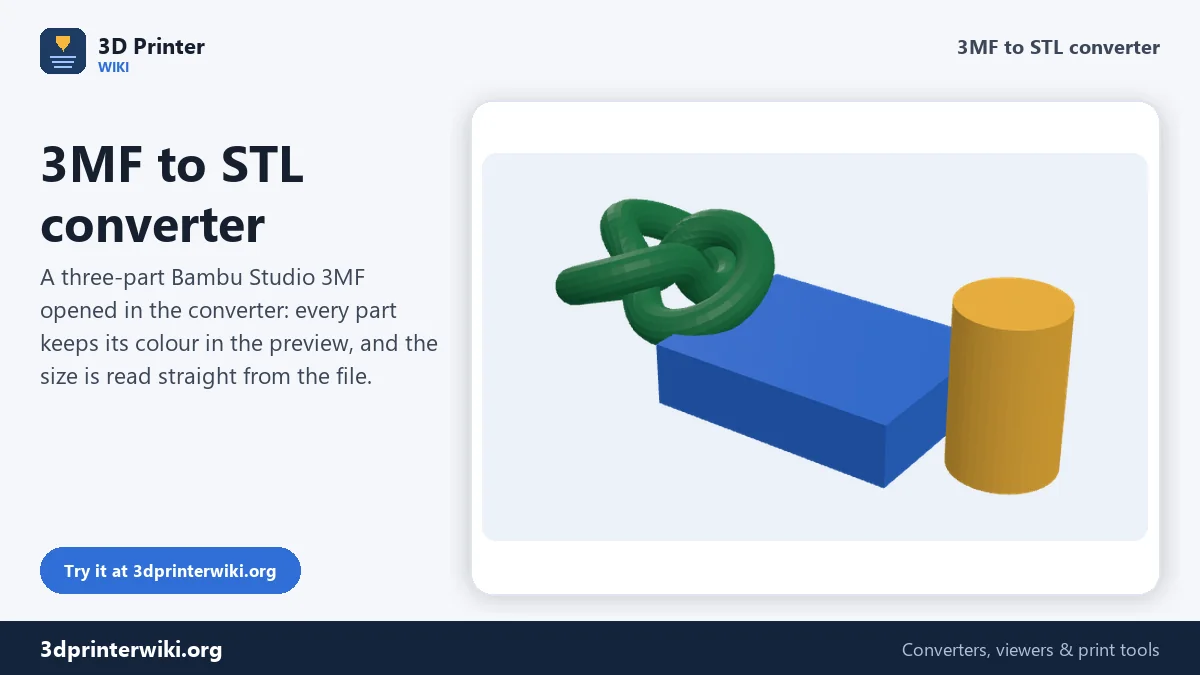
Drop a 3MF project and get an STL back. You see the model, its size and how many parts it has before you download.
Same file as: · · · ·
More options
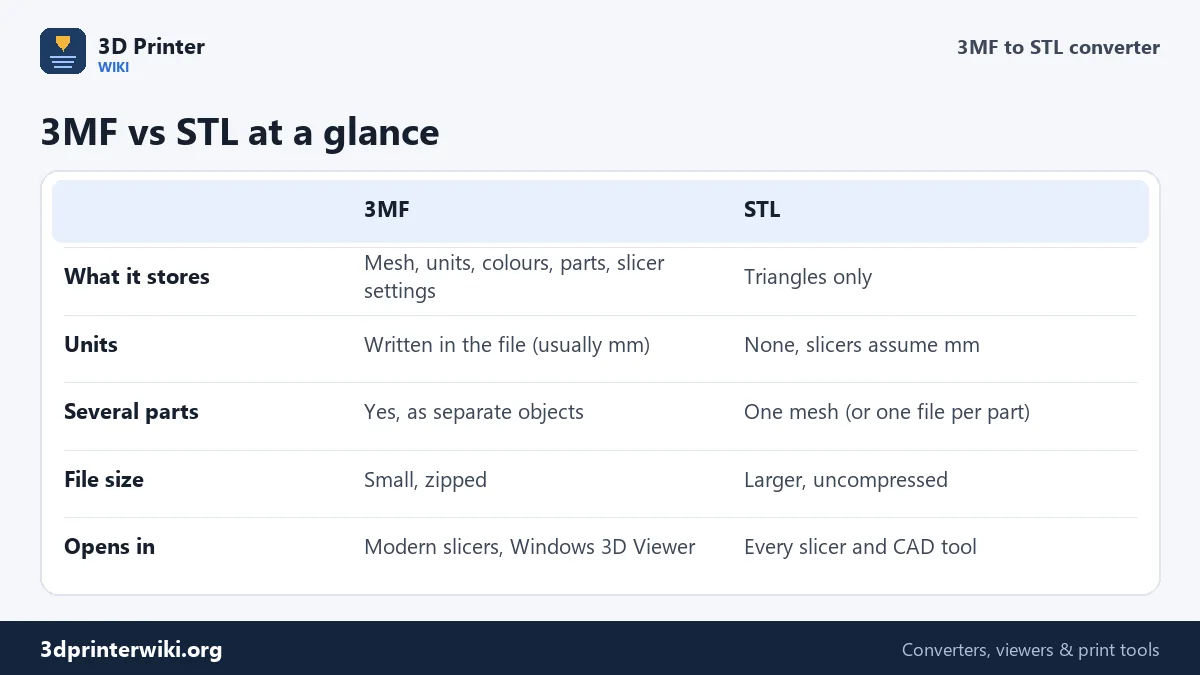
A 3MF file is a small zip archive. Inside sits the model as an XML mesh, the units it was drawn in, and often a lot more: part names, filament colours, painted seams and supports, and in Bambu Studio or OrcaSlicer even the full print profile. STL holds none of that. It is only a list of triangles. That is exactly why people still need STL: it is the one format every slicer, CAD program, print service and model site accepts without question.
This converter opens the 3MF on your device, reads every object in it, and writes a clean binary STL. Before you download, you see the model in 3D with its real size, the number of triangles and how many separate parts the file holds, so you know the STL will be what you expect.
How to convert 3MF to STL
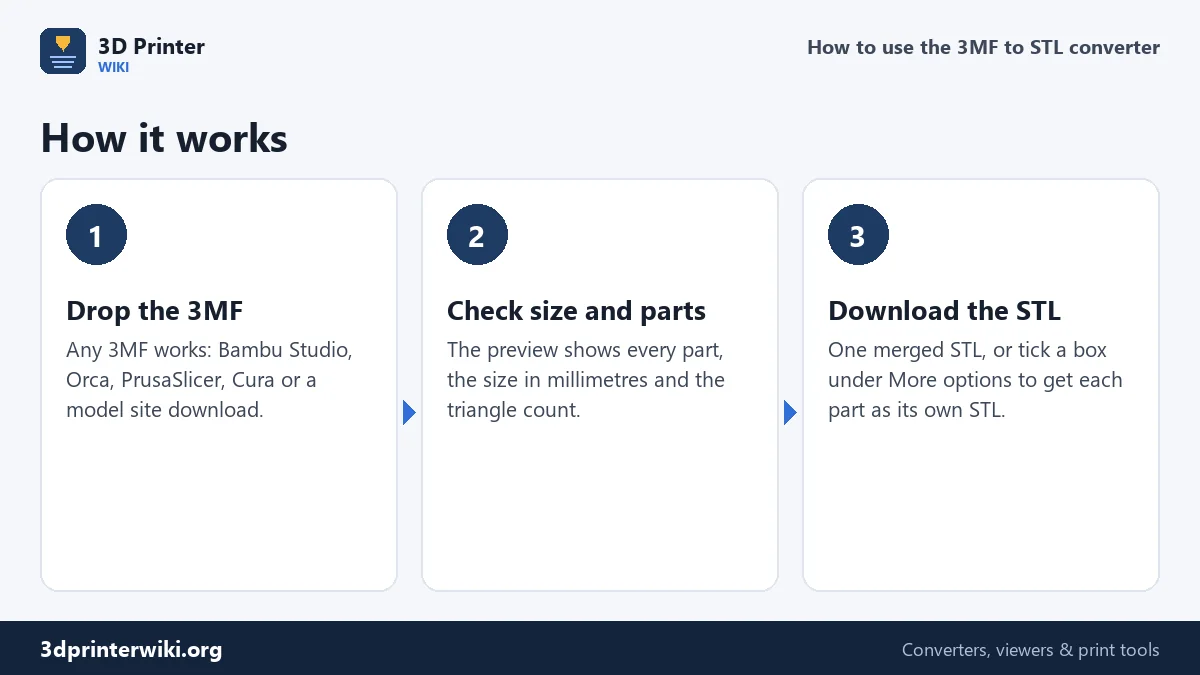
- Choose or drop your 3MF file on the box above. Files from Bambu Studio, OrcaSlicer, PrusaSlicer, Cura, Microsoft 3D Builder, Fusion 360 and model sites such as MakerWorld or Printables all work.
- Look at the preview. Spin it with one finger or the mouse. The line under the preview shows the overall size in millimetres, the triangle count, the volume and the number of parts.
- Press Download STL. You get one STL with everything in it. Need each part as its own file? Open More options and tick Save each part as its own STL to get a zip with one STL per part.
The same file can also be saved as STEP, OBJ, GLB or PLY with the small links under the tool. That is handy when a friend wants to edit your part in CAD: the 3MF to STEP converter turns flat areas into proper CAD faces.
What happens to your 3MF during the conversion
Every 3MF has a "build" section that says which objects are placed on the plate, and where. The converter reads that list and applies each object's position and rotation, so the STL looks exactly like the arrangement you saw in your slicer. A plate with a bolt next to a nut becomes one STL with the bolt and the nut side by side, not two objects stacked on top of each other at the origin.
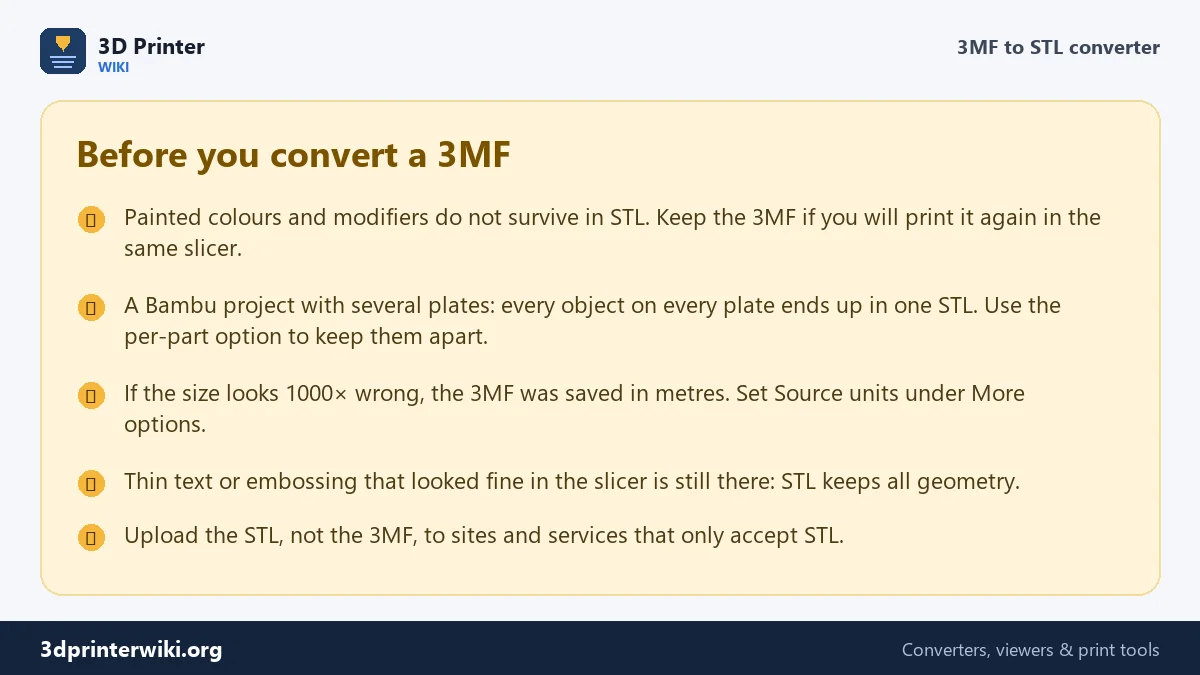
Units come from the file. The 3MF standard lets a file say it is in millimetres, centimetres, inches or metres. Nearly every slicer writes millimetres, and STL has no units at all, so millimetres is what your slicer will assume when it opens the STL. If a 3MF was written in another unit, the converter shows the size it reads; when the number looks absurd (a keychain that measures 40,000 mm, say), change Source units under More options and the preview updates at once.
By default the model is also placed on the build plate: centred on X and Y, with its lowest point at Z = 0. Slicers do this anyway, but it matters for STL files you will combine later in CAD. Untick Place on the build plate to keep the original coordinates from the 3MF.
What does not survive
STL cannot store colour, materials, modifiers, support blockers, painted seams or print settings. If your 3MF came out of Bambu Studio with four colours painted on it, the STL will be a single grey mesh. That is not a fault of the converter; it is the limit of the format. Keep the original 3MF for reprints, and use the STL for sharing, remixing or printing on a machine that does not read 3MF.
Multi-colour prints are the one case where the per-part option really pays off. If each colour was a separate part in the 3MF (common for keychains, signs and logos), saving each part as its own STL gives you the plate, the letters and the outline as separate files, which is what you need to load them into a slicer that assigns filament per object.
Why convert 3MF to STL at all?
- Older or locked slicers. Some printer brands ship slicers that read STL and OBJ only, and older versions of Cura and Simplify3D do not open every 3MF dialect.
- Print services and marketplaces. Many online printing services, and plenty of remix workflows, still ask for STL.
- CAD and sculpting. Tinkercad, older SolidWorks and Fusion versions, ZBrush and Meshmixer import STL without fuss.
- Splitting a project. Got a MakerWorld 3MF with twelve parts on three plates and only want the hinge? Save the parts separately and keep just the one you need.
Common problems and quick fixes
The STL is tiny or huge in my slicer
The 3MF stored its units as metres or inches and the receiving program expected millimetres. Check the size shown under the preview before downloading. If it is off by 1000 or by 25.4, set the correct Source units and download again. The STL scaler fixes an STL you already saved.
A hole is missing, or there is an extra block
Bambu Studio, OrcaSlicer and PrusaSlicer store modifiers, negative volumes and support blockers in the 3MF next to the real parts. The converter reads the slicer's part settings and leaves those helper volumes out, so they don't turn into solid blocks in your STL. A negative volume is meant to cut a hole, though, and an STL can't store a cut, so that hole will not be in the STL. Make the cut permanent first, for example with the mesh boolean tool in Bambu Studio, then convert. Files from other programs may keep helper shapes as normal objects; split them off with the STL splitter.
The file says it is a 3MF but will not open
A real 3MF always starts with the bytes "PK" because it is a zip archive. Files renamed from .stl to .3mf, or downloads that stopped halfway, fail that test, and the tool tells you so. Download the file again, or try the STL viewer if you suspect it is really an STL with the wrong extension.
The STL has holes or errors after converting
The converter copies the triangles exactly as they are in the 3MF. If the original mesh had gaps, the STL has the same gaps. Slicers repair small problems on the fly; for anything bigger, run the file through the STL repair tool.
Binary or ASCII STL?
The download is a binary STL unless you tick the ASCII box. Binary STL stores each triangle in exactly 50 bytes, so a model with 100,000 triangles is about 4.8 MB. The same model as ASCII text is roughly five times larger. Every modern program reads binary STL. ASCII is only worth it if you want to read or edit the numbers in a text editor, or an old CNC or CAM tool asks for it.
3MF to STL questions
Is converting 3MF to STL free?
Yes. There is no sign-up, no watermark and no limit on the number of files. The conversion runs on your own device, so even large 3MF projects convert as fast as your computer or phone can read them.
Can I convert a Bambu Studio 3MF to STL?
Yes. Bambu Studio and OrcaSlicer projects are normal 3MF files with extra settings files inside. The converter reads the model data and ignores the settings, so you get the geometry from every plate as an STL.
Does 3MF to STL lose quality?
No. The triangles are copied exactly, with full 32-bit precision. What you lose is the extra information 3MF can hold: colours, materials, part names and print settings.
How do I convert 3MF to STL for Tinkercad?
Tinkercad does not import 3MF, so convert the file here first, then import the STL into Tinkercad with Import in the top right corner. Keep the file under 25 MB; the STL file size reducer helps with heavy models.
Can I convert 3MF to STL on a phone?
Yes. The converter works in mobile Chrome and Safari. Tap the box, pick the 3MF from Files or Downloads, and the STL lands in your downloads folder.
Should I print from 3MF or STL?
If your slicer reads 3MF, print from the 3MF: it keeps units, parts and settings and avoids scaling mistakes. Use STL when the program or person you are sending the file to cannot handle 3MF.
More 3D printing tools
Updated November 2026 · How these tools work