E-steps calculator
Make sure your extruder pushes exactly the length of filament it is asked for.
More options
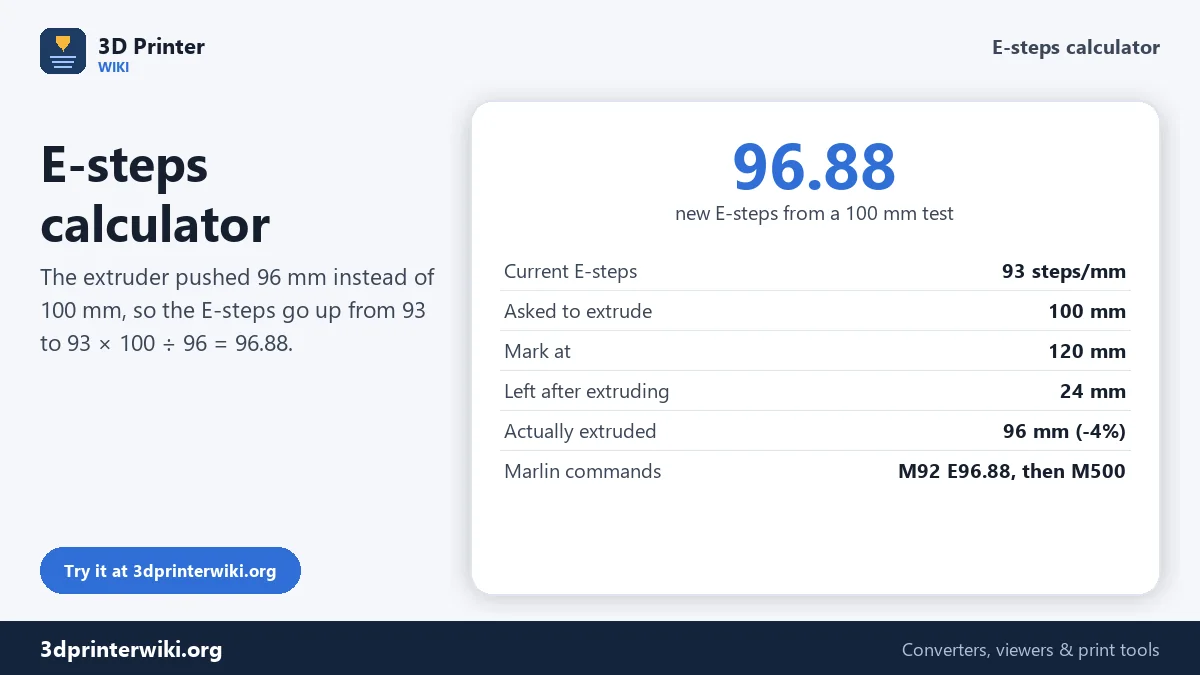
E-steps tell your printer's firmware how many motor steps it takes to push one millimetre of filament. If the number is off, every print is a little under- or over-extruded: gaps between lines, weak layers, or blobs and rough tops. The value set at the factory is often close, but a new extruder, a different gear or simply manufacturing tolerance can put it out by several percent. This E-steps calculator turns a simple 100 mm extrusion test into the corrected value, and gives you the exact commands to save it.
How to calibrate E-steps
- Read the current value. Send
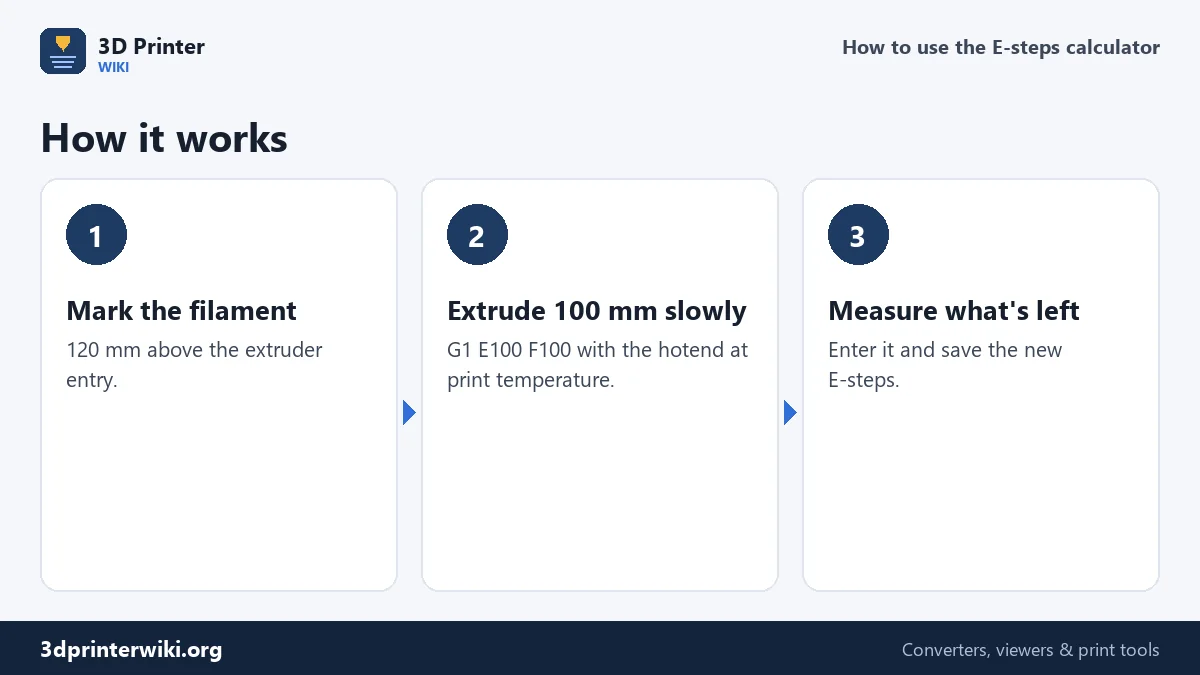
M503from a terminal (Pronterface, OctoPrint, or the printer's console) and find the lineM92 … E93.00. The number after E is your current E-steps. Many printers also show it in the menu under Motion or Steps/mm. - Heat the hotend to your normal printing temperature, so filament can actually flow.
- Mark the filament 120 mm above the point where it enters the extruder, with a fine marker or a piece of tape.
- Extrude 100 mm slowly: send
M83(relative extrusion), thenG1 E100 F100. It takes about a minute. - Measure the distance from the extruder to the mark again and enter it as Distance left after extruding. If exactly 100 mm went in, 20 mm is left.
- Save the new value with the commands the calculator shows.
The formula
The calculation is a simple ratio. If the extruder was asked for 100 mm but pushed 96 mm, it needs 100 ÷ 96 = 1.0417 times as many steps per millimetre:
new E-steps = current E-steps × requested length ÷ actual length
With 93 steps/mm, a common factory value for many Creality printers, that gives 93 × 100 ÷ 96 = 96.88. The actual length is the mark distance minus what's left: 120 − 24 = 96 mm. The calculator also shows the error in percent, so you can see whether the printer was over- or under-extruding and by how much.
Saving the value in Marlin
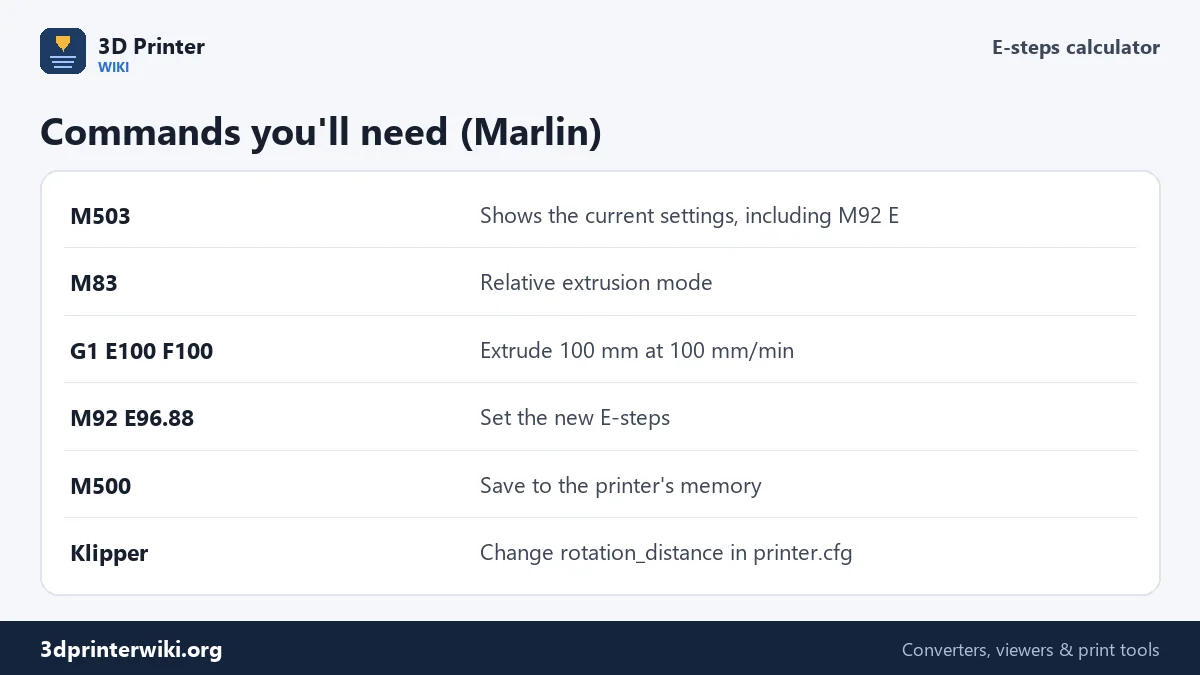
On printers running Marlin firmware, send M92 E96.88 to set the new value and M500 to store it in the printer's EEPROM, so it survives a restart. Send M503 again to check. Some printers without EEPROM support forget the value after a restart; in that case you can add M92 E96.88 to your slicer's start G-code so it is set at the start of every print.
Klipper: rotation_distance
Klipper doesn't use steps per millimetre for the extruder. It uses rotation_distance in the [extruder] section of printer.cfg: the distance of filament moved per full turn of the motor. Because it is the inverse of steps per mm, the correction works the other way round:
new rotation_distance = current rotation_distance × actual length ÷ requested length
Enter your current rotation_distance under More options and the calculator gives the new one. Edit printer.cfg, save, and restart the firmware.
When to calibrate, and when not to
Calibrate E-steps after changing the extruder, the drive gear or the motor, after a firmware update that reset your settings, or when every filament seems to under- or over-extrude by the same amount. Don't use E-steps to fix a problem that only one filament has: that is what the flow % (extrusion multiplier) is for. Many direct-drive printers with dual-gear extruders, including Bambu Lab and recent Prusa models, are calibrated at the factory and rarely need this; on those, use the flow calibration in the slicer instead. The flow rate calculator covers that second step.
When the test gives odd results
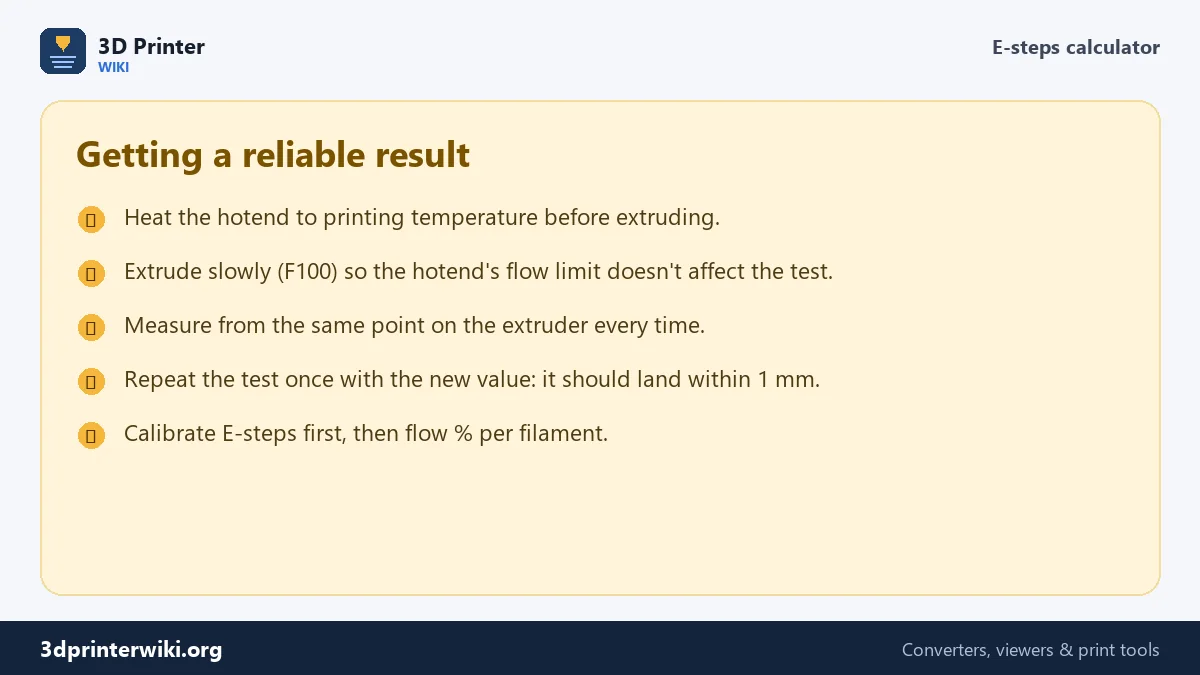
- Different results every time. Measure from exactly the same point, such as the top of the extruder housing, and use calipers or a steel ruler rather than a tape measure. Half a millimetre of measuring error is already 0.5% on a 100 mm test.
- The extruder clicks or skips. The filament can't flow fast enough, so the test measures the hotend instead of the extruder. Check the temperature, extrude more slowly (F50), and make sure the nozzle isn't partly blocked.
- Bowden printers. Mark the filament above the extruder, not at the hotend; the tube between them doesn't matter for this test.
- The correction is huge. A change of more than about 10% usually points to a mechanical problem, such as a slipping drive gear, a loose grub screw or worn teeth, rather than a wrong setting. Fix that first, then calibrate.
After saving the new value, repeat the test once. The second run should land within about one millimetre of 100 mm. If it does, the extruder is calibrated, and remaining differences between filaments are a job for the flow %.
E-steps questions
How do I calculate new E-steps?
Multiply the current E-steps by the requested length and divide by the length actually extruded: 93 × 100 ÷ 96 = 96.88.
What are the default E-steps of an Ender-3?
The stock Creality extruder is set to 93 steps/mm. Upgraded extruders differ a lot: geared BMG-style extruders are around 415, so start from the maker's value and calibrate.
How do I save E-steps permanently?
In Marlin, send M92 E followed by the new value, then M500. Check with M503.
Should I calibrate E-steps with the hotend hot?
Yes. Heat it to printing temperature, otherwise the filament can't flow and the extruder skips.
How do I calibrate E-steps in Klipper?
Change rotation_distance in printer.cfg: new value = old value × actual length ÷ requested length.
Is E-steps the same as flow rate?
No. E-steps calibrate the machine; flow % fine-tunes each filament. Set E-steps first.
Why does my extruder click during the test?
The filament can't flow fast enough. Check the temperature, extrude slower, and check the nozzle for a partial blockage.
More 3D printing tools
Updated November 2026 · How these tools work