Text to STL generator
Type your words, pick a font, and get printable 3D letters. The preview updates as you type.
More options
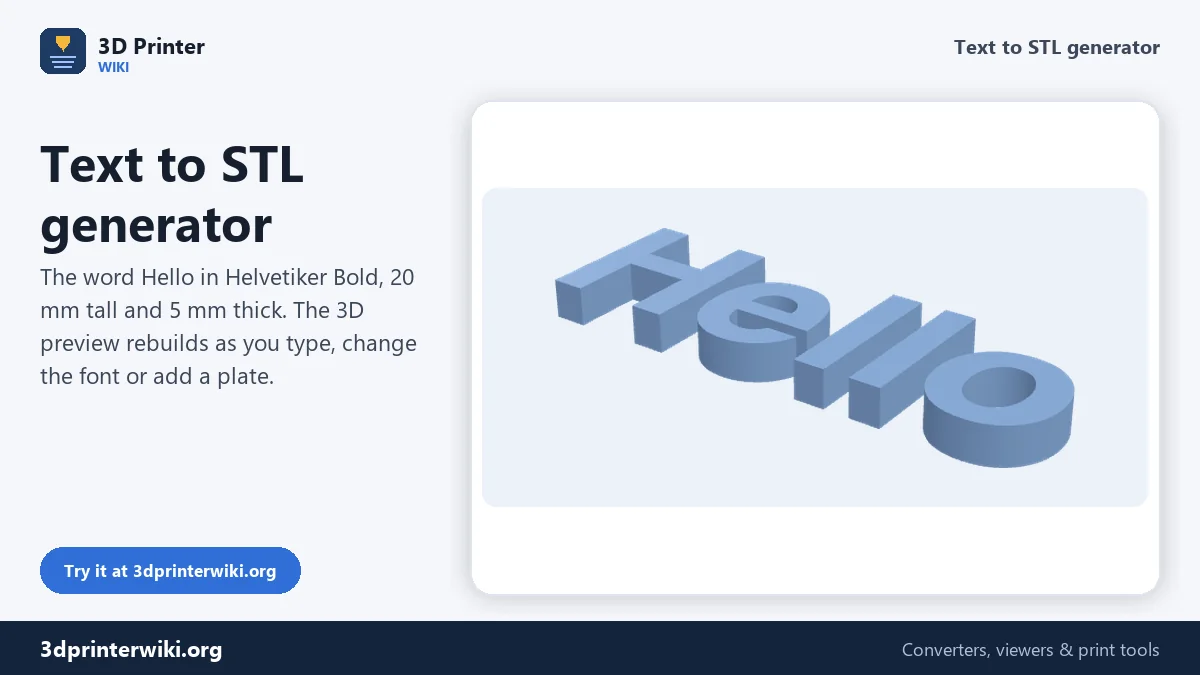
Need a name for a door, letters for a sign, a label for a drawer or a word to glue onto a cake topper? Type it into the box above and you get a 3D model of the text that you can print right away. The preview rebuilds as you type, so you see the real shape, size and thickness before you download anything.
The generator lays the text out letter by letter. That means letter spacing, line spacing and alignment all work the way they do in a word processor, and the model is centred so it lands in the middle of your build plate. You can add a backing plate behind the letters and download a 3MF in which the plate and the text are separate parts, ready for a two-colour print.
How to turn text into an STL
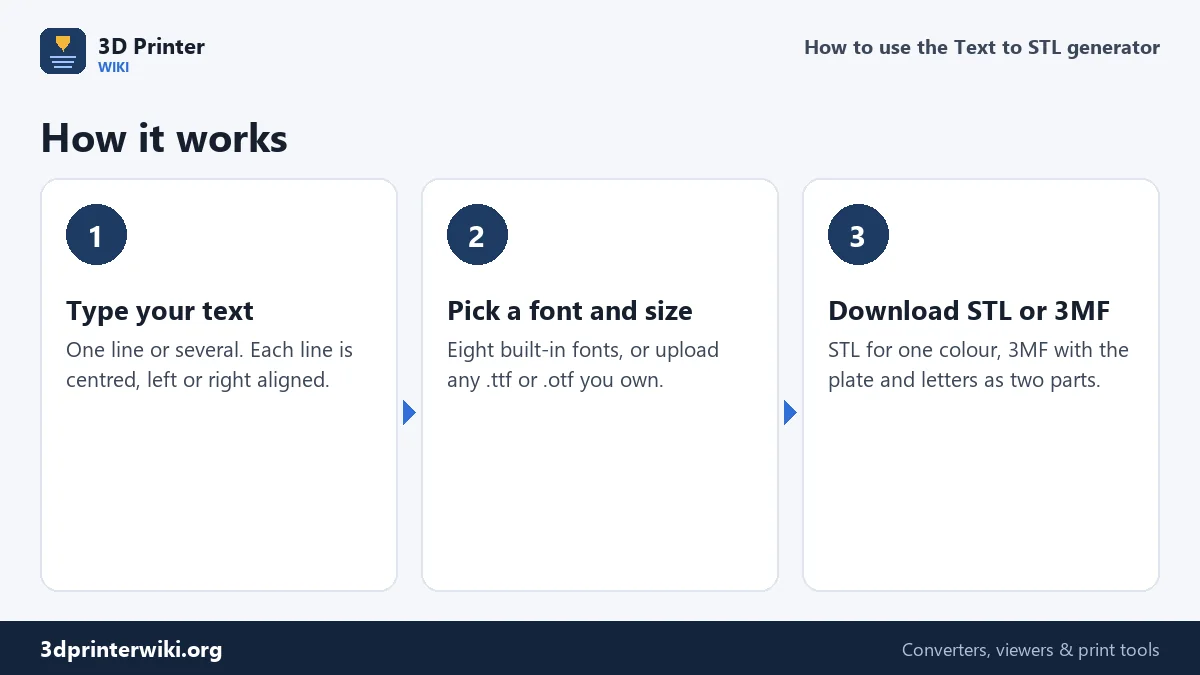
- Type your text in the Text box. Press Enter for a new line; each line can be centred, left or right aligned.
- Choose a font. Eight fonts are built in, from round sans-serif to serif. Under More options you can upload your own .ttf or .otf file, so a brand font or a favourite script works too.
- Set the size. Letter height and thickness are under More options. The size line under the preview shows the finished width, depth and height in millimetres.
- Download. Download STL gives one solid file. The 3MF link keeps the backing plate and the letters as two objects.
Choosing letter height and thickness
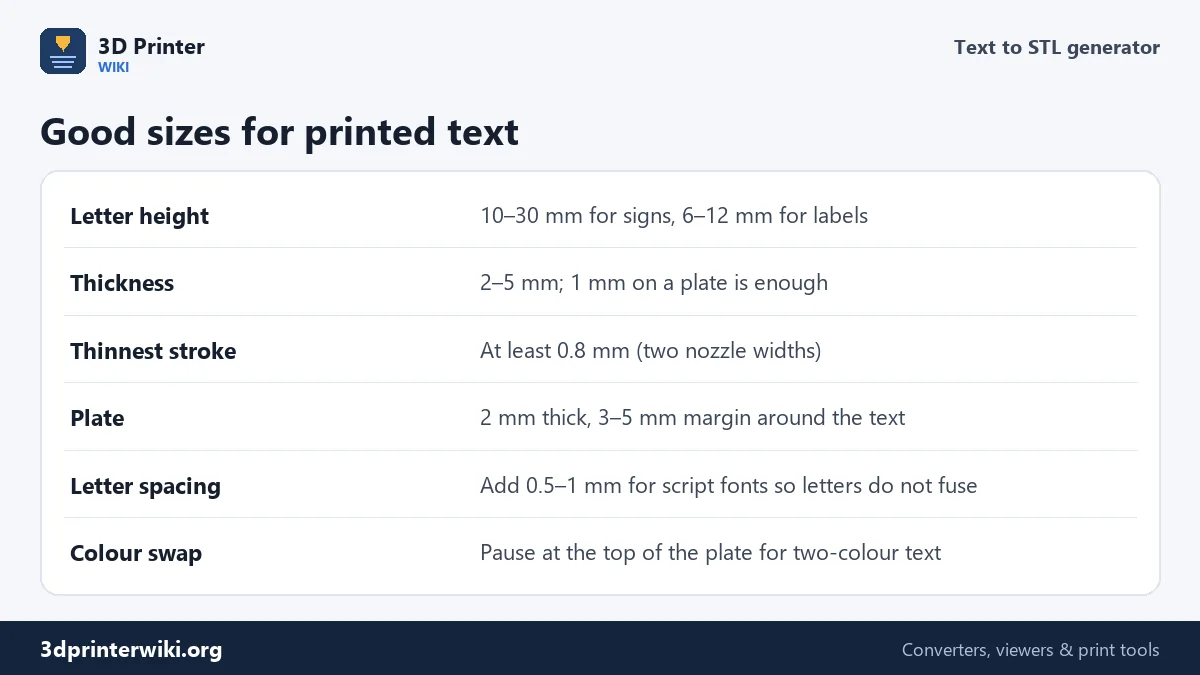
"Letter height" is the font size, the same number you would pick in a word processor. Depending on the font, tall letters such as H, l and k come out close to that number and lowercase letters smaller; the size line under the preview always shows the exact finished height. For a house sign, 25 to 40 mm reads well from the street. For drawer and shelf labels, 8 to 12 mm is plenty. For anything below 6 mm, choose a bold font and check that the thinnest strokes are still at least 0.8 mm wide, because a 0.4 mm nozzle cannot print a line much thinner than twice its own width.
Thickness is how far the letters stick out. Standalone letters you will glue onto something look good at 3 to 6 mm. Letters standing on a backing plate need only 1 to 2 mm to read clearly, and that keeps the print short. With the plate turned on, the generator puts the text on top of the plate, so the total height is plate thickness plus letter thickness.
Fonts: built in or your own
The built-in fonts (Helvetiker, Optimer, Gentilis and Droid, in regular and bold) come under open licences that allow commercial use, so the letters you print are fine on items you sell. They cover the Latin alphabet with accents. For other scripts such as Cyrillic, Greek, Arabic, Hindi or Japanese, upload a font that contains those characters: tick Use my own font file and choose the .ttf or .otf. Fonts from Google Fonts work well and are licensed for commercial use.
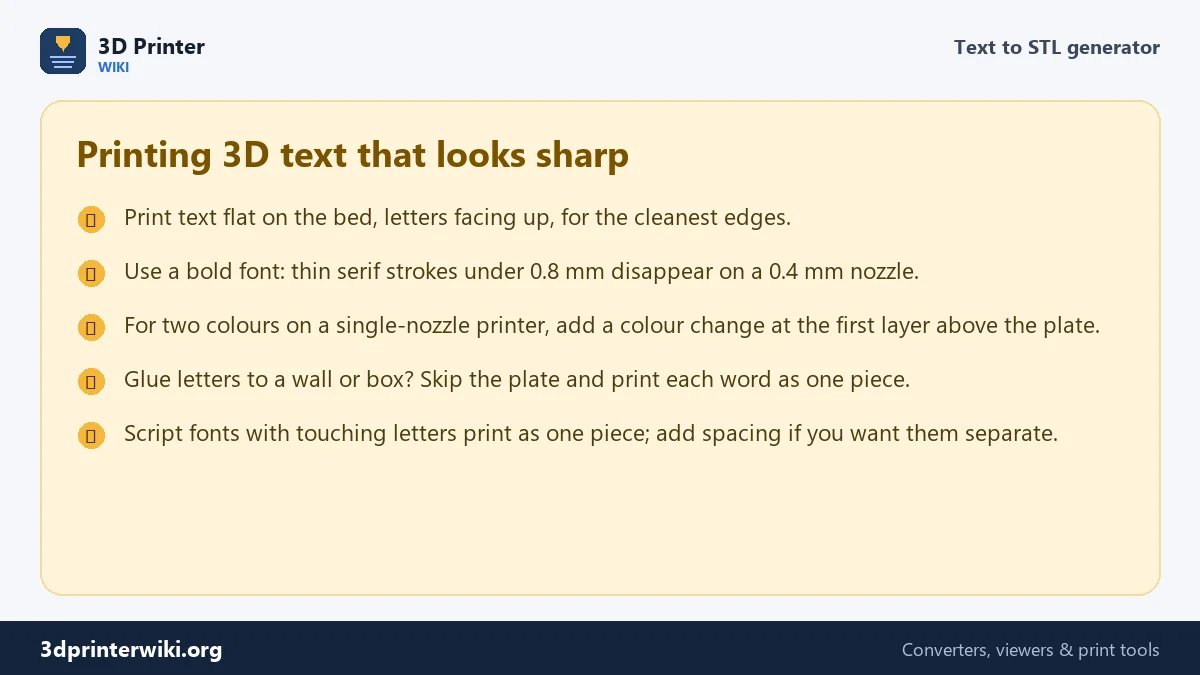
Script and handwriting fonts often have letters that touch or overlap. That is what you want for a name sign, because the whole word prints as one piece. If the letters overlap too much and look blobby, add 0.5 to 1 mm of letter spacing under More options.
Adding a backing plate
Tick Add a backing plate to put a rounded rectangle behind the text. The plate grows with the text and keeps an even margin around it, set in millimetres. A plate makes small text much stronger, gives you a flat surface to glue or screw to a wall, and lets you print two colours: a dark plate with white letters, or the reverse.
On a printer with an AMS or a tool changer, open the 3MF and give the plate and the letters different filaments. On a single-nozzle printer, slice the STL and add a filament change at the first layer above the plate (in Bambu Studio and PrusaSlicer, right-click the layer slider; in Cura use the Pause at Height script).
Ideas that work well
- Name signs and door plates with a backing plate and two screw holes drilled after printing.
- Cake toppers and party letters: use a script font, no plate, 3 mm thick, and add a stick from a separate print.
- Shelf and drawer labels: 10 mm letters on a 2 mm plate, printed in one go.
- Logos and wordmarks: upload the brand font. For a logo with graphics, use the SVG to STL converter instead.
- Keychains: the keychain generator adds a ring hole and a plate sized for a key ring.
If something looks wrong
Some characters are missing
The font does not contain them. Built-in fonts cover Latin letters, numbers and common symbols; emoji and other alphabets need your own font file.
The holes in letters like O and A are filled
That happens with some uploaded fonts that draw holes in the wrong direction. Try another font, or the regular weight of the same family.
The text is too wide for my printer
Lower the letter height, or split the text over two lines with Enter. The size line shows the new width straight away.
Text to STL questions
How do I convert text to STL for free?
Type the text on this page, adjust the font and size, and press Download STL. There is no sign-up and no limit on how many words or files you make.
Can I use my own font to make 3D text?
Yes. Tick Use my own font file under More options and choose a .ttf or .otf file. The font is read on your device and never uploaded.
What is the best font for 3D printed letters?
Bold sans-serif fonts print most reliably because every stroke is thick. Helvetiker Bold and Droid Sans Bold are good defaults. Thin serifs and hairline scripts lose detail on small letters.
How thick should 3D printed letters be?
3 to 6 mm for loose letters, 1 to 2 mm when they sit on a backing plate. Thicker is stronger but takes longer to print.
Can I make 3D text in Tinkercad instead?
Tinkercad has a Text shape, but it offers few fonts and no font upload. This generator gives you more fonts, exact sizes and a two-part 3MF, and the STL imports into Tinkercad if you want to combine it with other shapes.
Is this the same as AI text to 3D?
No. AI "text to 3D" tools invent an object from a description. This tool turns the actual letters you type into a printable model, with exact sizes.
More 3D printing tools
Updated November 2026 · How these tools work